 Fox Music
Search and play
Type a song or artist, press Enter, and the first results are ready to play.
Search any song, play it at once and keep your own files in the same place. Queue songs, let Auto-DJ keep going, and save what you like to your library.
Type a song or artist, press Enter, and the first results are ready to play.
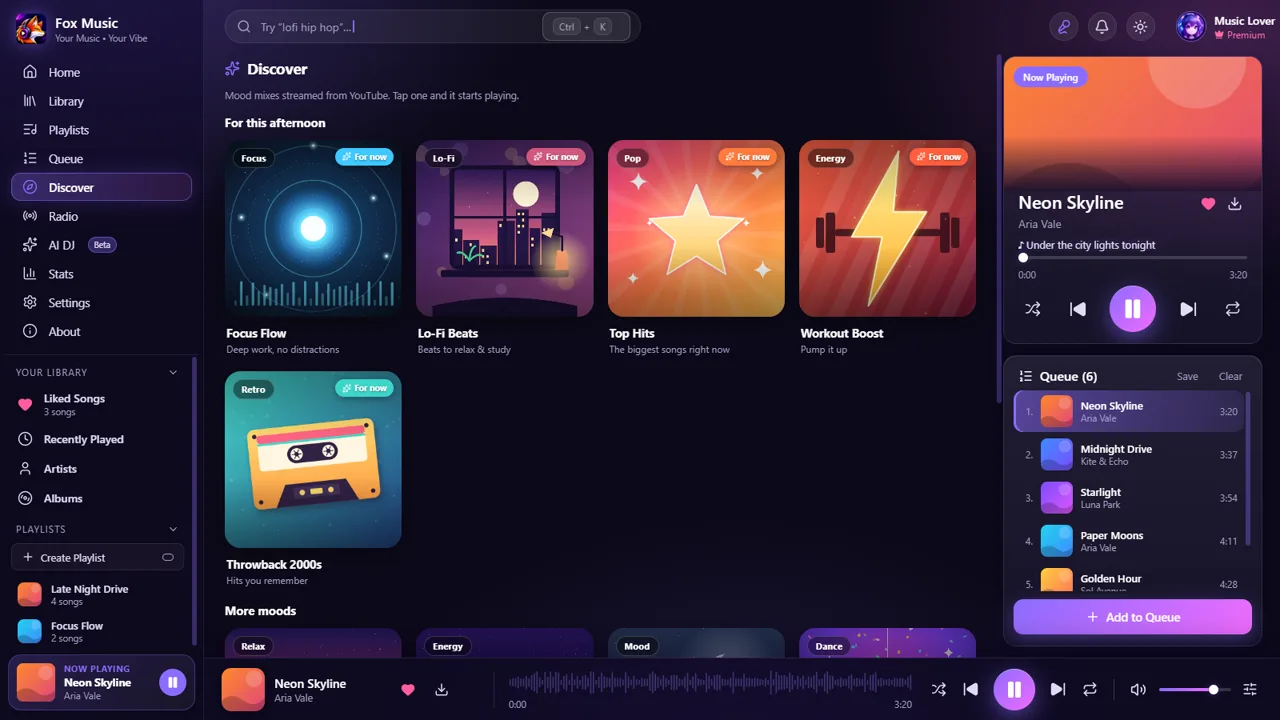
Twelve illustrated mood mixes, with the ones that suit the time of day first.
When the queue ends, similar songs are added so the music never stops.
Pick another YouTube video for a song. Fox Music remembers your choice.
Saved songs land in Library, Local files and play offline.
Import a YouTube playlist on desktop, make folders, export, or save the queue as a playlist.
Synced lyrics for YouTube songs too, from several sources.
Top results are prepared in the background and links are remembered, so repeat songs start almost at once.
Fox Music is a player. It does not host or sell music. It plays your own files and public YouTube content that you search for, and it is meant for personal use. Respect the rights of artists and the terms of the services you use.
Yes. Search any song and play it straight away on Windows, Mac and Android. Fox Music does not host any music; it plays public YouTube content you choose.
The first play of a song needs a moment to find its audio. Fox Music prepares the top search results in the background and remembers the links, so songs you played before start almost at once.
That is YouTube refusing your internet connection for a while, not a fault in the app. Fox Music explains it in plain words and pauses its background work. Wait a little, switch to another network such as a phone hotspot, or turn off a VPN, then try again.
Yes. A saved song lands in Library, Local files automatically, ready to play offline.