 Fox Music
Your library
Add songs or whole folders, or drag and drop them in. Covers, artists and durations are read from your files.
Play the songs on your PC and anything on YouTube in one app, with big synced lyrics, a mini player that stays on top, a 10-band equalizer and a tray icon.
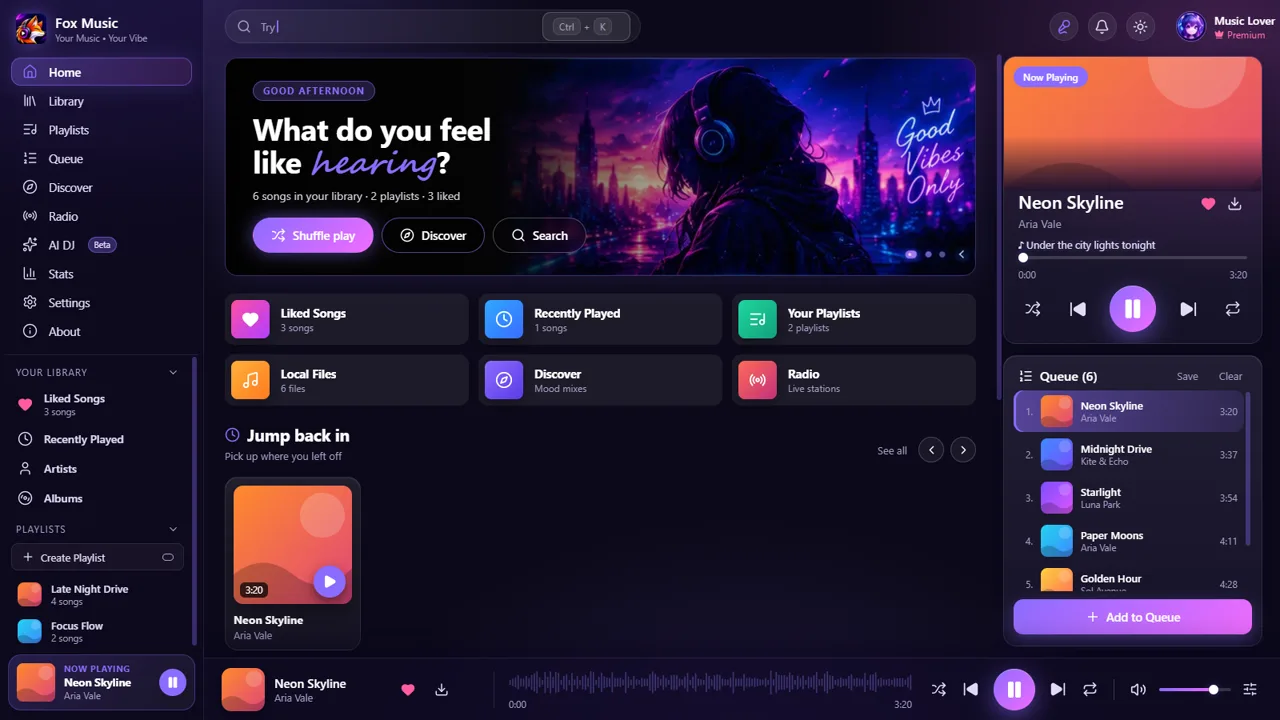
Add songs or whole folders, or drag and drop them in. Covers, artists and durations are read from your files.
Search any song and play it at once. yt-dlp comes inside the installer and updates itself.
Press L for large synced lyrics from several sources, with a timing nudge per song.
One click shrinks Fox Music into a tiny always-on-top player with seek, volume and controls.
Close the window and the music keeps playing from the tray. Change every keyboard shortcut.
10 bands, presets such as Bass boost, crossfade, gapless playback, speed and a volume normalizer.
Scan a QR code and control the player from your phone on the same Wi-Fi.
Add lyrics sources and Home rows, pick one of 17 looks or write your own JSON theme.
Requirements: Windows 10 or 11, 64-bit. About 140 MB of disk space for the installer. Your library and settings stay on your PC.
Yes. Fox Music is free, has no ads and needs no account. It plays your own song files and public YouTube content on Windows 10 and Windows 11 (64-bit).
No. The installer carries yt-dlp, sets it up on the first start and checks for a newer one once a day.
The installer is not code-signed yet, so Windows shows a notice once. Click More info, then Run anyway. The SHA-256 on the download card lets you check the file.
Yes. Closing the window hides Fox Music to the tray and the music keeps playing. Use the tray menu for play, next and previous. You can switch this off in the tray menu.