 Fox Music
Always on top
Stays above your other windows so it is always one click away.
One click shrinks Fox Music into a tiny always-on-top player. Keep working, studying or gaming with your music in the corner of the screen.
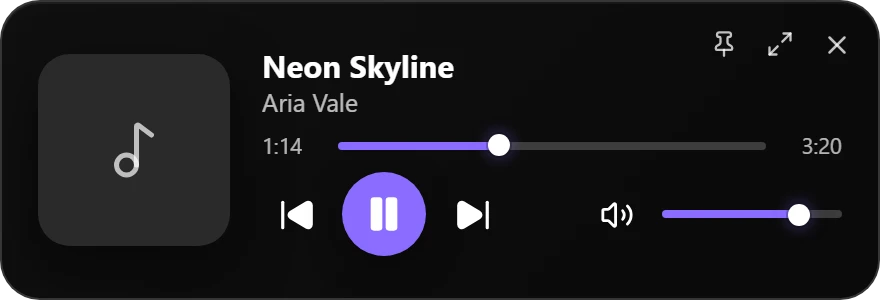
Stays above your other windows so it is always one click away.
Play, pause, next, previous, seek and volume without opening the full app.
Open it from the picture-in-picture button, return with the maximise icon.
Close the window and the music keeps playing from the tray, with play, next and previous in the tray menu.
Go back to the full app and press L for big synced lyrics.
Change every keyboard shortcut in Settings.
A tiny always-on-top window with the song, seek bar, volume and playback controls. It stays above other windows so you can keep working or gaming.
Click the picture-in-picture button at the top of the Windows or Mac app. Use the maximise icon on the mini player to go back to the full app.
No. The mini player is for Windows and Mac. On Android you get lock-screen and notification controls instead.
No. On Windows, closing the window hides Fox Music to the tray and the music keeps playing. You can change this in the tray menu.