 Fox Music
Folders and drag and drop
Add songs or whole folders. On Windows you can also drag files straight into the window.
Point Fox Music at your music folders and it builds a clean library with covers, artists and durations. MP3, FLAC, M4A and more, with synced lyrics and no account.
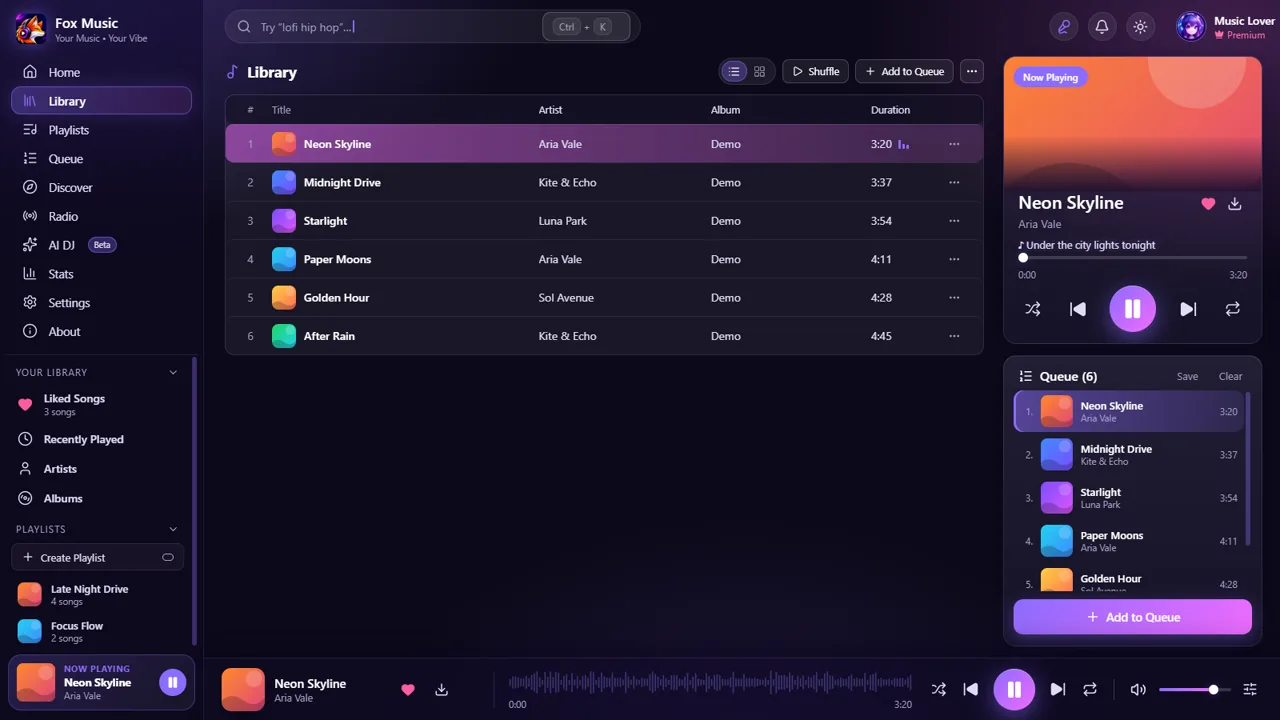
Add songs or whole folders. On Windows you can also drag files straight into the window.
MP3, WAV, FLAC, OGG, M4A, AAC, Opus and WMA.
Cover art, artist, title and duration come from the tags in your files.
Playlist folders, JSON import and export, and save the queue as a playlist.
Synced lyrics are found for your own files too, with a timing nudge per song.
Library, playlists, stats and settings in one file you can move to a new computer.
See what you play most by time of day, weekday and over twelve months.
No account and no upload. Your library stays on your device.
Songs from your own files play without any internet connection. Fox Music only goes online for the things you ask for: searching and playing YouTube, finding lyrics, artist pages, and optional extras such as ListenBrainz or Discord status. If you only use your own music, you can use it entirely offline.
MP3, WAV, FLAC, OGG, M4A, AAC, Opus and WMA files. Add single songs, whole folders, or drag and drop them into the window on Windows.
Yes. Songs from your own files play offline. Internet is needed only for YouTube, lyrics, artist pages and the extras you switch on.
On your device. Fox Music has no account and no cloud, and it does not upload your library anywhere. Use Settings, Library, Save backup file to move it to another computer.
Yes. Covers, artist, title and duration are read from the tags in your files.