Your library + YouTube
Add songs or folders, or search any song on YouTube and play it instantly. Drag & drop works too, and every download lands in your library, ready to play offline.
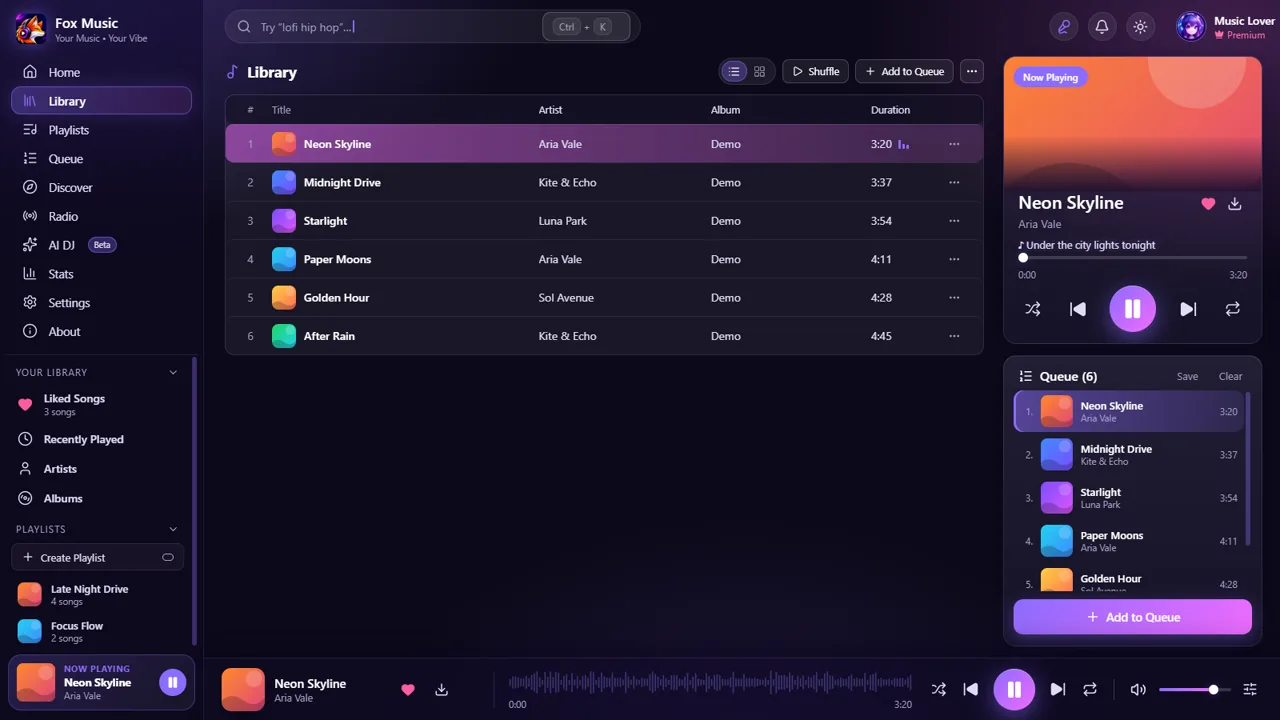
Your own songs and YouTube in one player. Big full-screen synced lyrics, a tiny mini player, an equalizer, and every download saved to your library.
Windows 10/11 · Mac · Android 8+
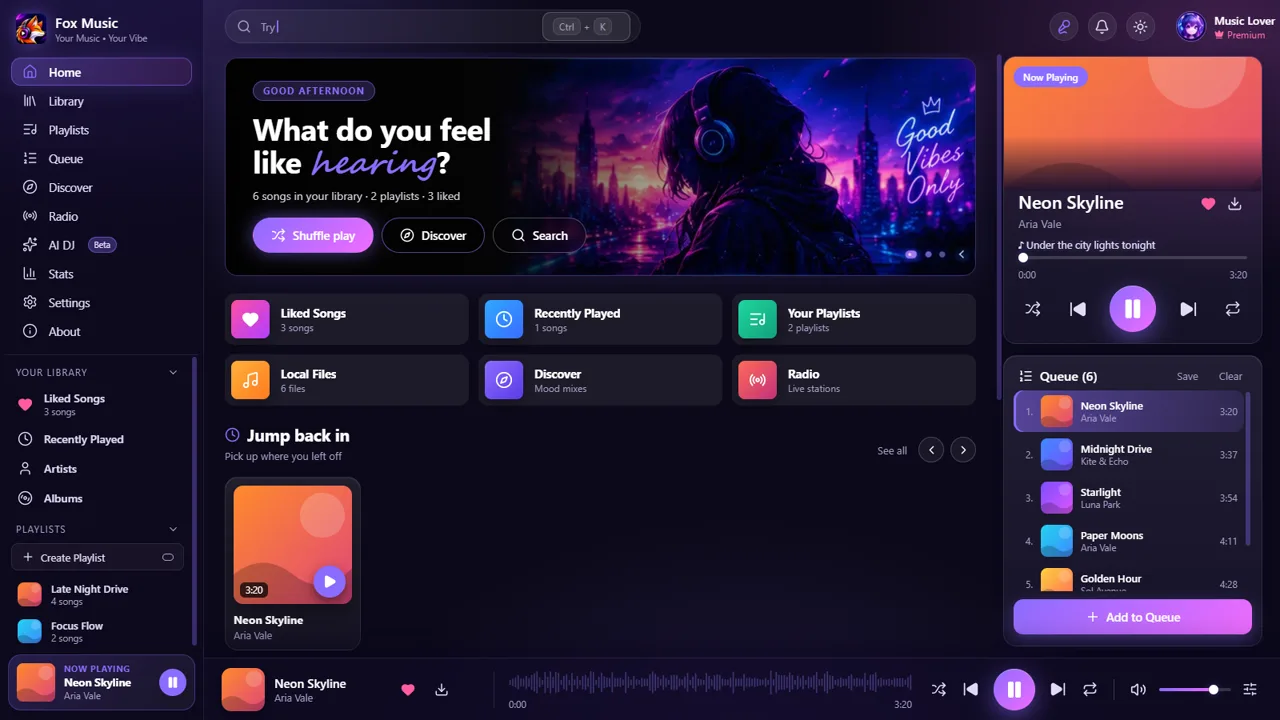
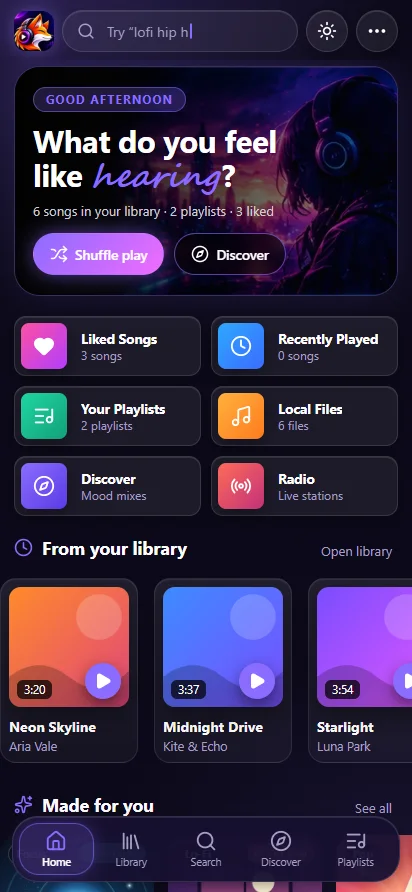
Your library and YouTube side by side, with the little things that make listening better.
Add songs or folders, or search any song on YouTube and play it instantly. Drag & drop works too, and every download lands in your library, ready to play offline.
Press L for big synced lyrics. Several lyrics sources are searched, so almost every song has them.
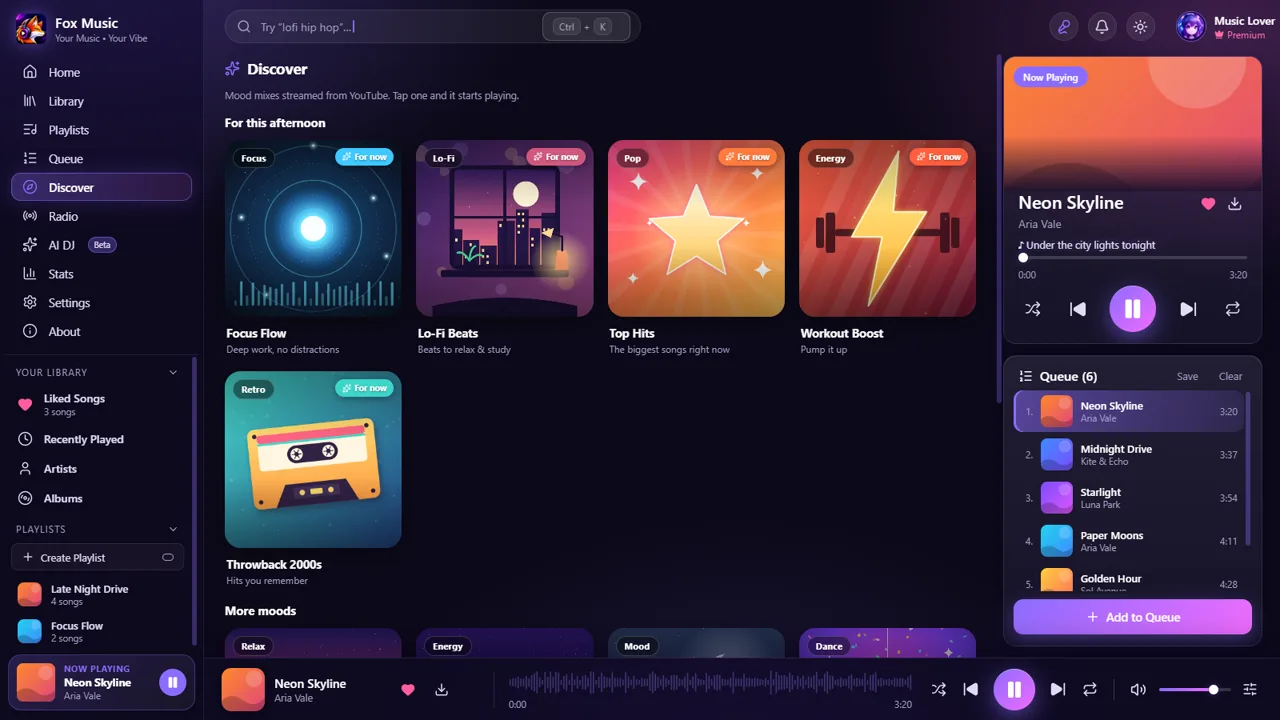
Twelve illustrated mood mixes, with the ones that suit the time of day first. One tap and they play.
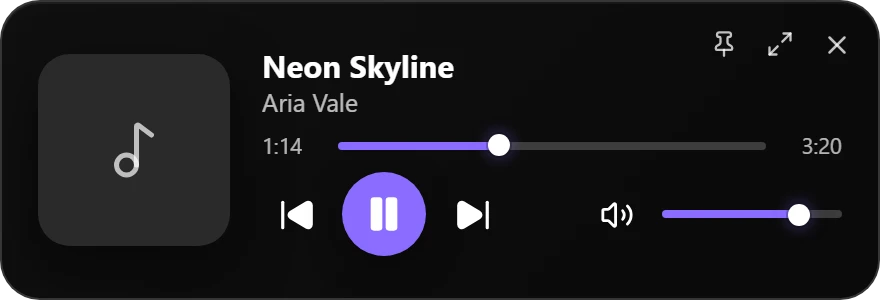
One click shrinks the whole app into a tiny always-on-top player on Windows and Mac, with seek, volume and controls.
10-band EQ with bass boost on desktop and Android, crossfade, gapless, speed and Nightcore.
Stop after minutes, a song, N songs or the queue, with a gentle fade and rain or ocean sounds.
Scan a QR code and control the player, queue and search from your phone on the same Wi-Fi.
Add lyrics sources, Home rows and buttons. Each plugin runs in a locked box and asks first.
No duplicates, Play next keeps its order, drag to reorder, and the music never stops with Auto-DJ.
Android keeps playing with the screen off, with lock-screen controls and a wake-up alarm.
Aurora glass, AMOLED, Nord, Dracula, Paper, Peach and more, or write your own JSON theme.
A local MCP server lets assistants such as Claude search, play and queue songs for you.
Photo, bio, albums and popular songs. Tap any artist name to open it.
Library, playlists, stats and settings in one file. Import a YouTube playlist too.
Close the window and the music keeps playing from the tray. Change every keyboard shortcut.
No accounts, no ads, no analytics. Your library stays on your device.
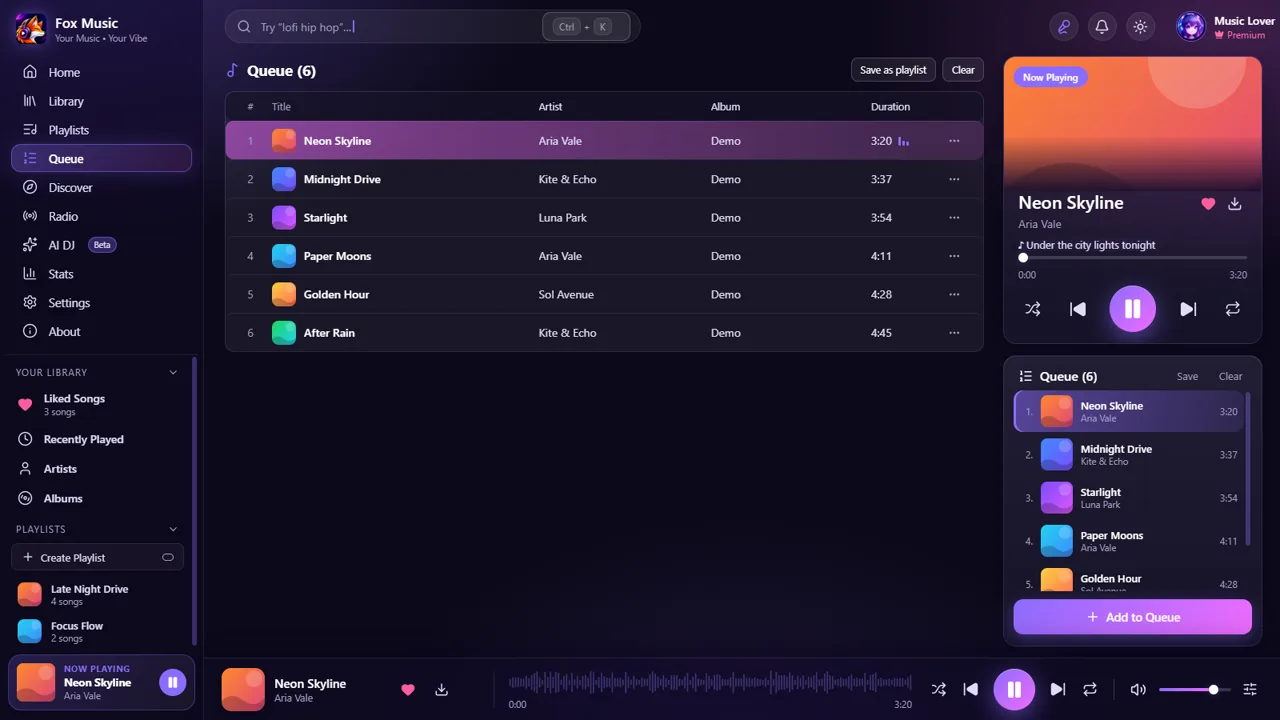
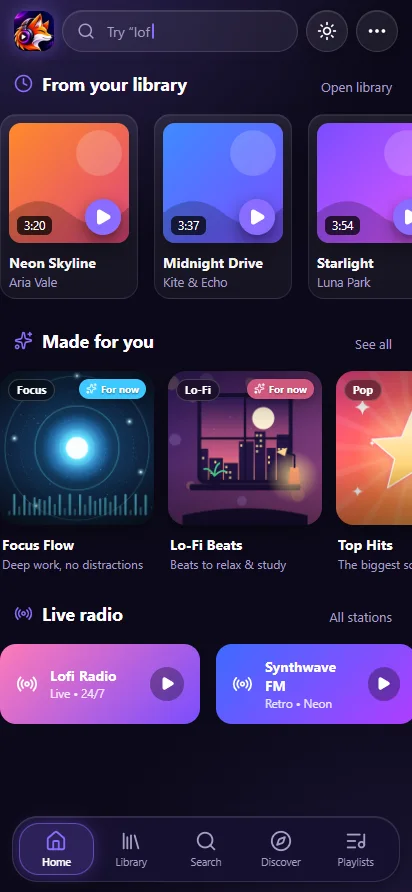
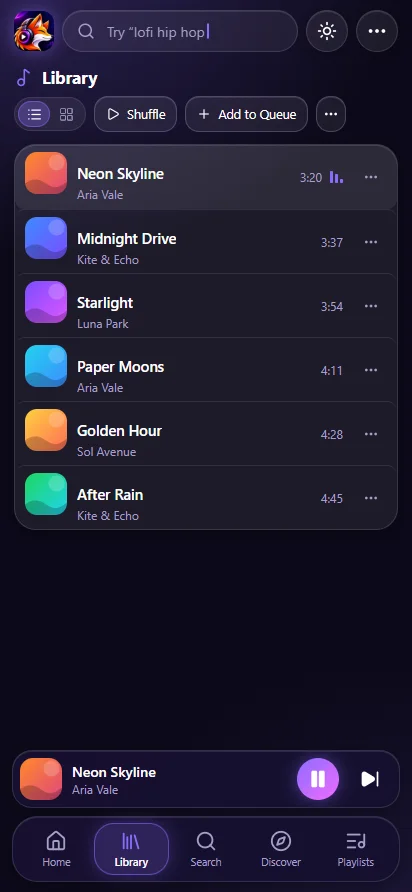
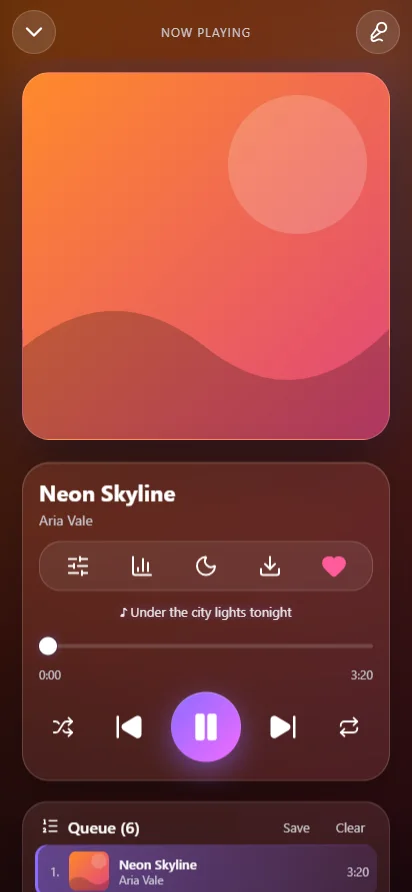
A glowing violet glass look, background play with lock-screen controls, full-screen lyrics, an equalizer, a sleep timer and a wake-up alarm, plus shortcuts when you long-press the icon.
Pick your device. No sign-up, no ads. Version 1.13.0.
Windows 10 / 11 · 64-bit
Download installerAndroid 8 or newer · APK
Download APKOpen the downloaded file and allow “Install unknown apps” for your browser when Android asks.
Apple Silicon & Intel
Coming soon The Mac version is coming soon.The Mac app is not signed by Apple yet. Right-click the app in Applications, choose Open, then Open again. If it says the app is damaged, run xattr -cr "/Applications/Fox Music.app" in Terminal once.
Windows may show a “SmartScreen” notice because the installer is not code-signed yet. Choose More info → Run anyway.
Get help, share playlists, suggest features and see what is coming next.
I make apps I want to use myself. Fox Music is built with Electron, React and Capacitor, and plays what you own plus public YouTube content.
Yes. No account, no ads, no tracking inside the app.
From the files you add and from public YouTube content you search for. Fox Music does not host any music.
Into Music / Fox Music on your device, and straight into Library → Local files in the app so you can play them offline.
Click the picture-in-picture button at the top of the Windows or Mac app. Use the maximise icon on the mini player to go back.
The app searches LRCLIB, NetEase and lyrics.ovh, and any lyrics plugin you installed. If the words are a little early or late, nudge them with the + and − buttons in the lyrics screen.
On the desktop app open Settings → Connections and switch on Phone remote. Scan the QR code with your phone camera (same Wi-Fi). The link has a secret key, so only people who have it can control the player.
Each plugin runs in its own locked box and can only do what it asked for, which you see before installing. A plugin is still someone else's code, so install plugins only from people you trust.
Yes. Settings → Library → Save backup file, then Restore from file on the new computer. Songs that are files are saved as links, so copy your music folder too.
Open Settings → Background play → Allow, and set the app's battery to “No restrictions” on phones with strict battery savers.
The installer is not code-signed yet. Click More info → Run anyway. The SHA-256 on the download card lets you verify the file.